
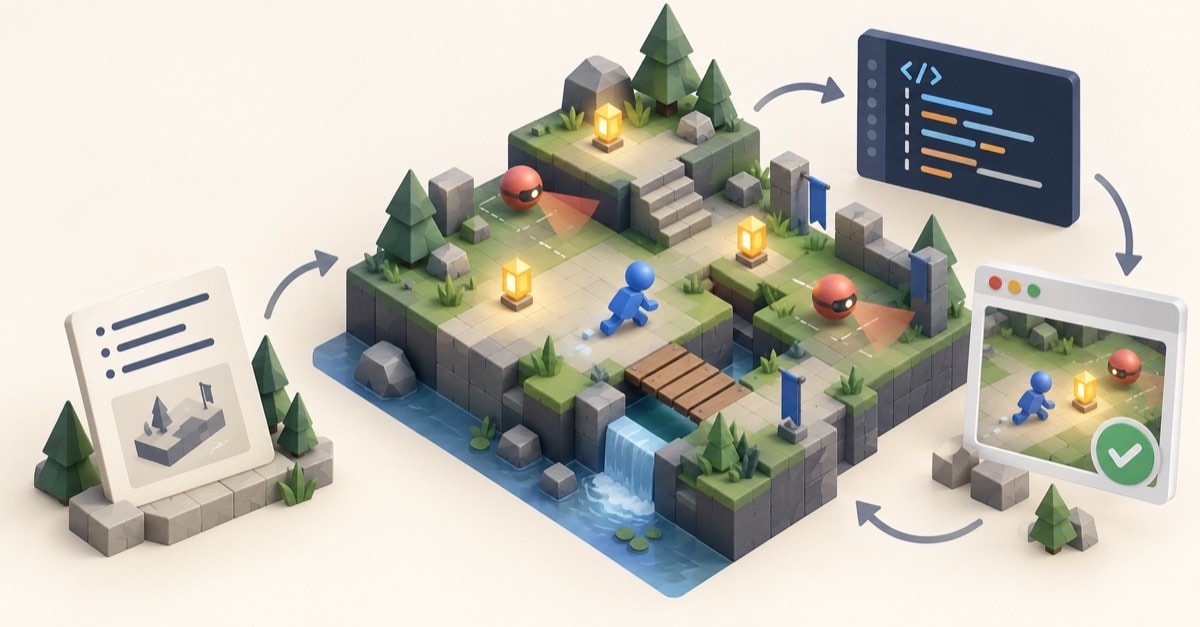
People searching for how to build games with Astra are usually not looking for a one-line prompt that magically produces a finished game. They want a practical route from an idea to something playable: a small scene, clear rules, a browser build, and a way to test what changed. That is the useful AI game development workflow.
Astra AI games are interesting because they show how much faster a developer can turn a written brief into a grey-box prototype. They do not remove the work of deciding what is fun, accessible, performant, or legally safe to publish. A game remains a system of rules, feedback, timing, spatial design, and player expectations.
OpenAI positions GPT‑6 Astra for complex software and computer-use work. In an OpenAI case study, Playco says it used Astra in an AI-enabled workflow connected to Unity and Godot, producing three themed prototypes from one grey-box foundation and reporting fewer manual fixes. That is a useful indication of faster prototyping, but it is a vendor-reported case study, not proof that a single prompt produces a production-ready game.
For broader context on Astra game development and the industry shift, see the earlier analysis. This article focuses on the practical engineering loop: build one small 3D web-game vertical slice with Three.js, use an AI coding assistant for bounded tasks, then play-test every result before adding more ambition.
What makes Astra AI games useful in practice?
The hype version of prompt-to-game development is simple: describe a game, wait, and publish. The practical version is more disciplined:
- Define a narrow, testable playable outcome.
- Ask the model to implement one bounded layer at a time.
- Run the result and observe real behaviour.
- Report a specific defect or design change.
- Retest before moving to the next layer.
This plays to the strengths of current coding agents. They can translate a brief into a file structure, draft repetitive code, explain an unfamiliar API, suggest tests, and help investigate console errors. They should not be treated as the authority on game feel, intellectual-property boundaries, player safety, or the final quality bar.
The goal is not a perfect first generation. The goal is a fast, inspectable loop that turns a good question into a playable answer.
How to build games with Astra: start with a vertical slice
“Build a 3D game” is too large a request. Start with a vertical slice: one small, complete loop that demonstrates what a player does, what changes in response, and how the experience ends.
Consider a deliberately modest example called Lantern Run:
- The player explores a compact 3D arena.
- They collect ten lanterns before a 90-second timer expires.
- Two sentinels patrol fixed routes and reduce the score on contact.
- The game ends in a clear win or loss state.
That is enough to validate the core loop:
Input → movement → collision → reward or risk → feedback → win or lossIt is also small enough to understand when something goes wrong. If collection does not work, the problem is likely in collision or entity state, not in a sprawling procedural world, multiplayer back end, inventory system, and animation graph all at once.
Write a design contract before asking for code
Give the model constraints, not just an aspiration:
Game: Lantern Run

Goal:
Collect 10 lanterns within 90 seconds.

Controls:
WASD and arrow keys move the player on the X/Z plane.
The camera follows from a fixed elevated angle.

Rules:
- A lantern disappears once collected and adds 100 points.
- Two sentinels patrol fixed routes.
- Contact removes 50 points, with a one-second grace period.
- Win when all lanterns are collected.
- Lose when the timer reaches zero.

Technical constraints:
- Browser-based JavaScript with Three.js.
- Primitive geometry only for the first version.
- Separate input, game state, game rules, rendering, and UI.
- No multiplayer, combat, procedural terrain, or external assets.
The non-goals are as important as the goals. They stop an otherwise promising prototype becoming a collection of partially implemented systems.
Astra game development works best with a grey box
A grey box is a playable world made from simple shapes. It proves the game before detailed models and effects make changes expensive. For a first version, a plane can be the ground, a capsule can be the player, cylinders can be lanterns, and spheres can be sentinels.
Three.js is a good fit for this kind of browser prototype because it supplies the scene, camera, geometry, materials, lighting, and renderer without requiring a full desktop-engine pipeline. Its documentation recommends using renderer.setAnimationLoop() for the application loop rather than manually managing requestAnimationFrame(). Three.js documents the renderer API and this compatibility guidance.
const clock = new THREE.Clock();

renderer.setAnimationLoop(() => {
  const deltaSeconds = Math.min(clock.getDelta(), 0.05);

  updateGame(deltaSeconds);
  renderer.render(scene, camera);
});
Keep the source of truth separate from the visual layer:
const gameState = {
  phase: 'playing', // playing | won | lost
  score: 0,
  timeRemaining: 90,
  player: {
    position: new THREE.Vector3(0, 0.5, 0),
    speed: 6,
    invulnerableUntil: 0,
  },
  lanternsCollected: 0,
  elapsedTime: 0,
};
Rendering draws the current state. Input records player intent. Game logic updates state. The UI reflects it. This keeps the code understandable for both the developer and the AI assistant: a request to change scoring should not require a rewrite of the renderer.
Implement one mechanic at a time
- Player movement and arena boundaries.
- Lantern collection.
- Score and timer UI.
- Sentinel patrols and contact penalty.
- Win, loss, and restart states.
- Feedback, effects, audio, and visual polish.
For a compact browser game, a simple distance check can be more appropriate than adding a physics engine:
function updateLanternCollection() {
  for (const lantern of lanterns) {
    if (lantern.collected) continue;

    const distance = gameState.player.position.distanceTo(lantern.position);

    if (distance < lantern.radius) {
      lantern.collected = true;
      lantern.mesh.visible = false;
      gameState.score += 100;
      gameState.lanternsCollected += 1;

      if (gameState.lanternsCollected === lanterns.length) {
        gameState.phase = 'won';
      }
    }
  }
}
Introduce a physics library only when the design genuinely requires rigid bodies, complex collision shapes, gravity-driven objects, or simulation-based puzzles.
Games made with Astra still need play-testing
The quality of a prompt is less about clever wording and more about clear inputs, boundaries, and acceptance criteria. For example:
Add collectible-lantern behaviour to the existing project.

Requirements:
- Use the current gameState object as the source of truth.
- Do not place scoring logic in rendering code.
- A lantern can be collected once only.
- Its mesh must disappear after collection.
- Add 100 points and update the HUD.
- Change gameState.phase to "won" after the tenth lantern.
- Add a small testable function for X/Z-plane collision overlap.

Return the changed files and explain how to manually test the feature.
Then play the build. “The movement feels wrong” is not very actionable. “The player travels farther at 120fps than at 30fps; apply the delta time already provided to updateGame() and do not change the camera or scoring system” is a useful engineering instruction.
For every milestone, test concrete questions:
- Does movement remain consistent across different frame rates?
- Can the player leave the arena?
- Can a lantern be collected twice?
- Does the timer stop after win or loss?
- Does restart reset every relevant value?
- Can a new player understand the goal without reading source code?
- Is essential information communicated by more than colour alone?
This is where the workflow becomes genuinely useful: the model accelerates implementation and diagnostics, while the developer remains responsible for the observed outcome.
Keep Astra games fast, accessible, and original
Performance is a design constraint, even for a small game. Cap device pixel ratio instead of always rendering at the display maximum; reuse geometry and materials for repeated objects; avoid creating meshes, textures, vectors, or DOM elements in every frame; and test on a lower-powered device before calling the prototype complete.
Three.js exposes information such as draw calls and rendered triangles, which helps identify expensive scenes before they become difficult to diagnose. The renderer documentation covers these diagnostics.
Accessibility belongs in the first playable version. Provide clear instructions, sufficient contrast, a pause or restart path, and controls that do not rely only on a mouse. If colour signals danger or reward, reinforce it with shape, motion, icons, or text.
Only add external models and animation once the loop works. Every asset should be checked for rights, file size, real-time performance, scale, orientation, and browser compatibility. Three.js supports animation playback through AnimationMixer, but animation should support an already proven interaction, not hide an uncertain one. See the Three.js AnimationMixer documentation.
About the “GPT-6 Astra Aeon” search term
Some people are also searching for GPT‑6 Astra Aeon or gpt-6-astra-aeon. At the time of writing, OpenAI’s official Astra announcement identifies GPT‑6 Astra, but does not document a released product called “Astra Aeon.” Treat third-party discussion of that term as unconfirmed unless OpenAI publishes formal product documentation. OpenAI’s GPT‑6 Astra announcement is the appropriate primary source for verified claims.
The real advantage is faster learning
The promise of Astra AI games is not that game makers disappear. It is that more ideas can become playable experiments. A small team can explore a few variants of a grey-box concept, compare what actually feels good, and invest human effort where it matters most.
Start with one loop that can be finished. Describe its boundaries clearly. Make every generated change reviewable. Play-test it before asking for more. That is how to build games with Astra as an engineering workflow rather than an impressive but fragile demo.