
In brief
The hidden Django N+1 problem:
only()anddefer()postpone loading model fields. If a template, serializer, or loop later reads a deferred field for every object, Django may issue one extra query per object.
- For fields you use on every row, load them in the original query.
- Use
select_related()for foreign-key and one-to-one objects, andprefetch_related()for many-to-many or reverse relations.- Use
only()ordefer()only when profiling shows that skipping large or expensive fields is a real benefit.
A queryset can look lean in a code review and still make a page slower in production. The trap is easy to miss: Django’s only() and defer() do not remove fields from a model. They mark fields for deferred loading. If later code reads one of those fields repeatedly across a queryset, a single database round trip can become hundreds.
How the Django N+1 problem appears
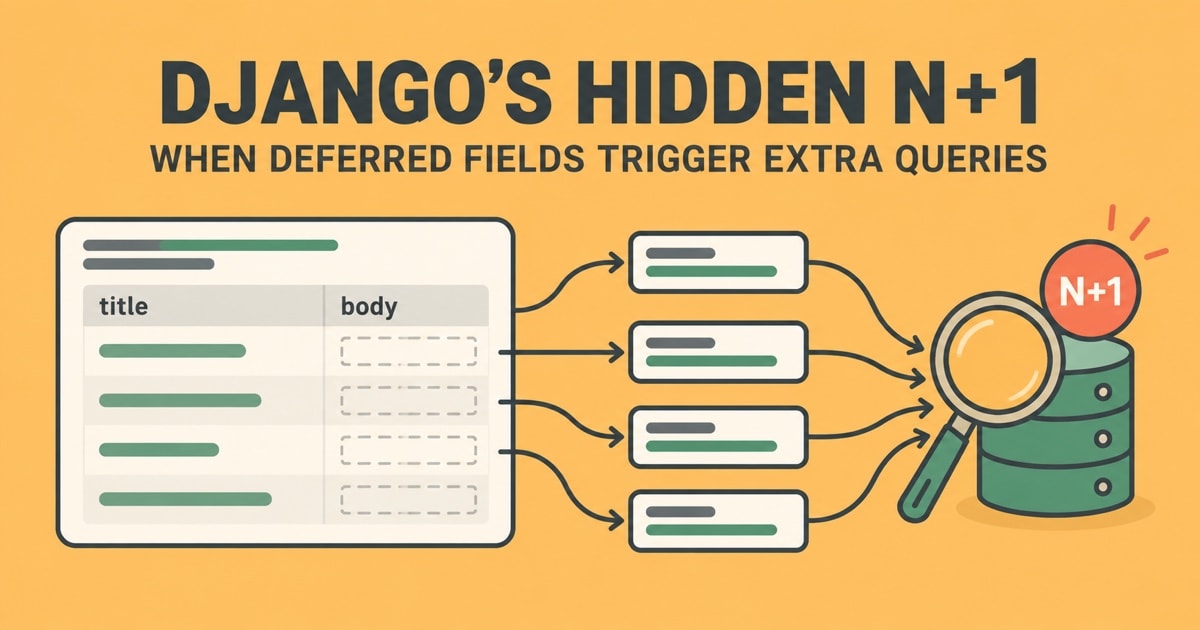
Imagine a page that lists 100 articles. It needs each article’s title and body, but the queryset loads only the ID and title:
articles = Article.objects.only("id", "title")

for article in articles:
    render(article.title, article.body)
The first query fetches the article rows without their bodies. When the loop evaluates article.body, Django retrieves that deferred field from the database. If each of the 100 articles needs its body, the page can run 101 queries: one for the list, then one for each body.
That is the N+1 pattern: one query to fetch a collection, followed by N queries triggered while processing its N objects. The exact cost depends on the fields accessed and the code path. If no code reads the deferred field, the extra queries do not happen. Django’s documentation for defer() confirms that deferred fields are fetched when accessed, one at a time.
Why the extra queries hide
The access that triggers a query may not appear in the view that built the queryset. A template can read {{ article.body }}; a serializer may touch a model attribute; or a helper, property, or __str__() method may access it. That makes the database work less visible than an explicit .get() inside a loop.
only() and defer() differ in how you describe the initial selection. only() names fields to load immediately, so the rest are deferred. Each subsequent only() call replaces that immediate-load set. defer() names fields to postpone, and its calls accumulate. Both can cause follow-up queries if downstream code accesses the postponed fields. See Django’s only() reference.
The same N+1 pattern can arise from related objects, but that is a different optimization problem. Django’s optimization guide warns that repeatedly fetching parts of a data set inside a loop is often less efficient than retrieving what the code needs together. A systematic query investigation pairs well with a reproducible debugging process.
When deferring fields triggers an N+1 problem
Deferred loading still has a place. It can help when a model contains a large text or binary field that a common code path almost never needs, or when converting that field into a Python value is expensive. In that case, excluding it can reduce data transfer or conversion work.
However, skipping columns is not free. If the application later needs them, it pays for additional database round trips. Django also notes that a database may still need to read much of a row from disk even when the query selects fewer columns. The official advice is to profile first, then optimize, and reserve only() and defer() for cases where measurements show a meaningful gain.
There are two further edge cases to remember. Accessing a deferred field from asynchronous code raises SynchronousOnlyOperation rather than loading it lazily. Also, saving an instance with deferred fields saves only the fields that were loaded. Check the Django field deferral notes before relying on either behavior.
Choose the fix that matches the data
Load scalar fields that the page will use
If the page needs every article body, do not defer it. Either remove only() and let Django load the model normally, or include all fields the code needs:
articles = Article.objects.only("id", "title", "body")Be cautious with narrow projections across templates and serializers: a field added to the output later can silently reintroduce extra queries. Where you need a simple data projection rather than model instances, values() or values_list() can make the selected fields explicit.
Load relationships in batches
For a foreign-key or one-to-one relation, use select_related() to fetch the related row through a SQL join:
articles = Article.objects.select_related("author")For many-to-many or reverse relations, use prefetch_related(). Django fetches those related rows in separate batched queries and matches them to the parent objects in Python:
articles = Article.objects.prefetch_related("tags")These methods address relationship lookups. They do not automatically load a deferred scalar field such as body. Django explains the distinction in its references for select_related() and prefetch_related().
How to catch a Django N+1 problem
- Inspect the complete request path, including template rendering and serialization, for repeated SQL statements.
- Count queries while exercising the view with several records. A query count that grows with the number of records is a strong warning.
- Use Django’s
QuerySet.explain()to inspect how an individual query runs. Query counts and execution plans answer different questions, so look at both where appropriate. - Add a query-count regression test for important views with Django’s
assertNumQueries().
More batching is not always better. Prefetching loads related result caches into memory, and a later filtered relation query may not reuse that cache. Measure the real request before and after a change.
The practical rule: defer a field only when the code path truly does not need it for most retrieved objects. If the page needs the field on every row, select it once. If it needs related objects, batch those relationships with the matching eager-loading method. Then verify that query counts stay flat as the result set grows.