
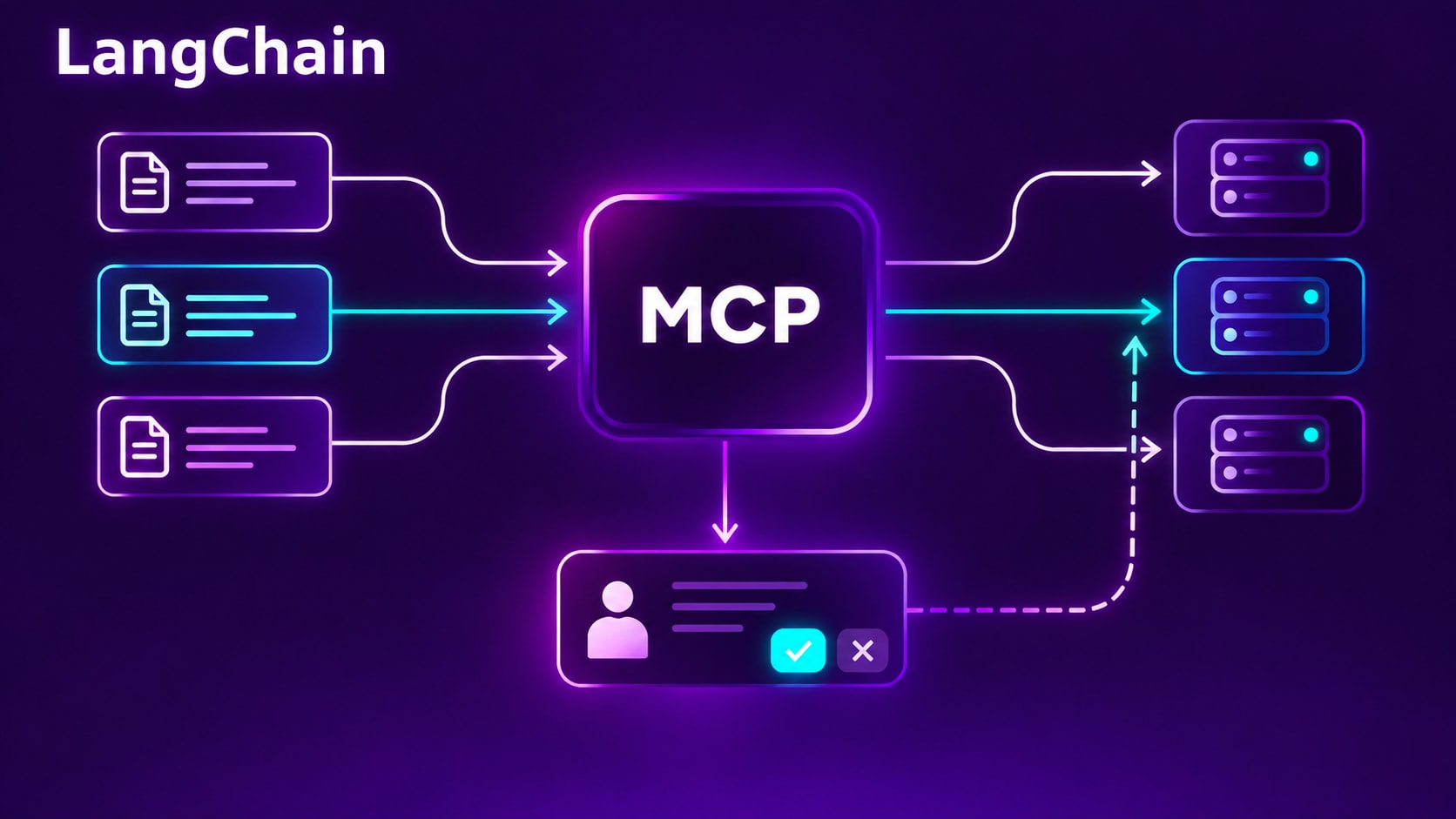
In brief
- LangChain MCP Adapter 2.0 supports stateless MCP. Modern servers no longer need a transport session to persist between tool calls, which makes ordinary load balancing easier.
- Stateless transport does not remove application state. Your booking, payment, or other workflow still needs durable identifiers and storage.
- Tools can pause for a person. MCP elicitation maps to LangGraph interrupts, so an agent can resume after the user supplies missing information.
- Resuming can run tool code again. Make work before a pause idempotent, and use a durable LangGraph checkpointer when the wait must survive restarts.
- Authentication is integrated, not magically solved. Your application still owns secure token storage, OAuth callbacks, user-to-credential mapping, and access decisions.
What happens when a tool connected through LangChain’s MCP adapter needs a booking date, but the protocol no longer keeps a session open between calls? In LangChain MCP Adapter 2.0, the server can request input, LangGraph can pause the run, and the client can continue after the user answers. That sounds like a small API change. It is really a change in where state lives, how an agent resumes work, and what your tools must do safely.
MCP means Model Context Protocol, an open protocol for connecting AI applications to tools and other context providers. The new protocol’s MRTR means Multi Round-Trip Requests: one logical operation can take more than one request and response when the server needs additional input. LangChain’s @langchain/mcp-adapters 2.0 connects MCP tools to LangChain.js and LangGraph.js. This article explains what changed, how to use the new adapter, and where its guarantees stop.
What LangChain MCP Adapter 2.0 changes
Version 2.0, released on 1 October 2026, rebuilds the adapter on the MCP TypeScript SDK 2 client. It supports modern and legacy MCP servers through one adapter, and adds modern elicitation through LangGraph interrupts. It also changes configuration, tool naming, and tool result shapes. Those are not all cosmetic changes: the release is a major-version upgrade, so existing applications should follow the official migration guide.
The adapter discovers an MCP server’s tools and converts them into LangChain tools. An agent can then call them in the same way it calls other tools. You do not need to write a separate bridge for every MCP tool, but you still own the application decisions around identity, approvals, retries, persistence, and side effects. The 2.0.0 release notes and tool guide document the current interface.
Stateless MCP does not mean stateless applications
The latest MCP specification, version 2026-07-28, changes the protocol lifecycle. In the modern protocol, the client does not first create a session with the old initialize exchange. There is no Mcp-Session-Id that the server expects on every later request. Instead, each request carries the context needed to process it, and the server must not infer a conversation from an earlier request on the same connection. The protocol specification makes that statelessness explicit.
This makes it easier to put modern MCP servers behind ordinary load balancers. A request can reach any replica without sticky routing to a transport session. But if an operation spans multiple calls, the application still needs a way to refer to its state. The specification’s answer is an explicit identifier passed with each request. For example, a booking workflow might create a reservation draft and return a bookingId; the next call supplies that identifier. The protocol session disappears, while business state remains in your application.
That distinction matters for the adapter. It can negotiate the modern protocol or fall back for older servers, and it negotiates independently for each server. The default mode is auto. Use modern when you want to require the new protocol, or legacy when you know the server still needs the old handshake. Legacy Streamable HTTP or SSE sessions may still require affinity to a server instance. A modern endpoint’s statelessness does not magically make a legacy endpoint stateless too. See LangChain’s guide to connections and protocol eras.
Connect a TypeScript agent with LangChain MCP Adapter 2.0
For new code, use MCPAdapter, a servers map, and listTools(). Keep the adapter open while the agent might call its tools, then close it during cleanup. The snippet below follows the current 2.0 API. It assumes you have an MCP HTTP endpoint and a LangChain model provider configured for your environment.
import { MCPAdapter } from "@langchain/mcp-adapters";
import { createAgent } from "langchain";

async function runAgent(serverUrl: string) {
  const adapter = new MCPAdapter({
    servers: {
      docs: { url: serverUrl },
    },
  });

  try {
    const tools = await adapter.listTools();
    const agent = createAgent({
      model: "claude-sonnet-5",
      tools,
    });

    return await agent.invoke({
      messages: [
        { role: "user", content: "Find the current deployment guide." },
      ],
    });
  } finally {
    await adapter.close();
  }
}

const result = await runAgent(process.env.MCP_SERVER_URL!);
console.log(result.messages.at(-1)?.text);
Replace the example model with one supported by your configured provider. The connection lifecycle and tool discovery pattern are shown in the LangChain connection guide. Tool names now include the server name by default. A server called docs that exposes search produces a tool named docs__search. This avoids collisions when two servers both expose search, but it can break prompts and approval rules that use the old unprefixed name. Keep server names short and valid for the model provider, and update any code that refers to tool names.
A tool can pause for a user answer
Suppose a booking tool knows the party size and restaurant, but needs a date before it can finish. Modern MCP elicitation lets the server ask for that missing information as part of the active call. With adapter 2.0, the request becomes a LangGraph interrupt. The agent run pauses, your application presents the question, and the run resumes after the user responds.
The following example shows the core flow documented by LangChain. Its MemorySaver keeps checkpoints only in process memory, which is useful for demonstrating the API. For a real service that must survive restarts or wait hours or days, configure a durable LangGraph checkpointer and retain the same thread identifier when resuming.
import { Command, MemorySaver } from "@langchain/langgraph";
import {
  MCPAdapter,
  createMCPElicitationResume,
  type MCPElicitationInterrupt,
} from "@langchain/mcp-adapters";
import { createAgent } from "langchain";

async function bookWithElicitation(serverUrl: string) {
  const adapter = new MCPAdapter({
    servers: { booking: { url: serverUrl } },
  });

  try {
    const tools = await adapter.listTools();
    const agent = createAgent({
      model: "claude-sonnet-5",
      tools,
      checkpointer: new MemorySaver(),
    });
    const config = { configurable: { thread_id: "booking-1" } };

    const paused = await agent.invoke(
      {
        messages: [
          { role: "user", content: "Book a table for four people." },
        ],
      },
      config,
    );

    const [pending] = paused.__interrupt__!;
    const question = pending.value as MCPElicitationInterrupt;
    const [requestKey] = Object.keys(question.requests);

    const answer = {
      action: "accept" as const,
      content: { date: "2026-10-15" },
    };
    const resume = createMCPElicitationResume(pending, {
      [requestKey]: answer,
    });

    return await agent.invoke(new Command({ resume }), config);
  } finally {
    await adapter.close();
  }
}
The key in the response object comes from the server’s request, and the answer content must match the form schema that server supplied. A user can also decline or cancel. The adapter helper createMCPElicitationResume associates the answer with the specific interrupt; a bare object of responses is not enough. If several requests pause at once, the application must answer each pending interrupt. The MCP tool guide documents those details.
A checkpointer is required when a tool elicits input. Without one, the run has nowhere to save its checkpoint while waiting. LangGraph persistence is separate from MCP transport sessions: a durable graph checkpoint stores the agent’s execution state, while the modern MCP protocol remains stateless between requests. For a deeper explanation of the graph side, see LangGraph persistence: checkpoint and resume workflows.
The subtle retry hazard: resuming reruns the tool
A pause does not freeze a JavaScript stack frame and keep it alive. When the run resumes, the tool starts again from its beginning. That matters if it performed work before asking the question.
Imagine the tool creates a payment intent, then asks the user to confirm a payment method. On resume, the creation step can run again. If that operation is not idempotent, the retry may create duplicate intents. A safer design separates preparation from commitment:
- Create or retrieve a durable draft using an idempotency key tied to the workflow.
- Ask the user for the missing input or confirmation.
- On resume, retrieve the same draft rather than creating a new one.
- Validate the answer and perform the final side effect once, with a server-side idempotency check.
This is an application design requirement, not a guarantee supplied by the adapter. The same principle applies to sending emails, making reservations, changing permissions, or deleting data. A useful internal reference is the site’s guide to LangGraph persistence, which covers how checkpoints let a workflow continue across invocations. Persistence helps restore execution state; it does not by itself make external side effects safe to repeat.
How LangChain MCP Adapter 2.0 handles authentication
Version 2.0 accepts either a token provider or an OAuth client provider as authProvider. For a token your application manages, the provider can return the current token and handle an unauthorized response. The documented token-provider path calls onUnauthorized after a 401, then retries once. Your application still has to implement token storage and refresh behavior correctly.
const server = {
  url: "https://crm.example.com/mcp",
  authProvider: {
    token: async () => tokenStore.current(),
    onUnauthorized: async () => {
      const refreshed = await tokenStore.refresh();
      if (!refreshed) {
        throw new Error("CRM token refresh failed");
      }
    },
  },
};
OAuth is more involved than passing a provider object. The SDK can handle discovery, client registration, the authorization-code exchange, and token refresh, but the application supplies storage, redirects, and a callback handler. Bind pending login state to the authenticated application user and validate the OAuth state value in the callback. Keep credentials separate per user and MCP server. LangChain’s authentication guide spells out those responsibilities.
This is a useful correction to the short announcement’s shorthand that the adapter “handles OAuth for you.” It integrates the OAuth client flow; it does not remove the application’s responsibility for safely storing credentials, handling redirects, associating them with users, or deciding what access each user should receive.
Tool errors have two paths
If an MCP server returns a tool result with isError, the adapter maps it to a LangChain ToolMessage whose status is error. In an agent run, the model can read that message and decide whether to recover. By contrast, if you invoke an adapted tool directly with plain arguments, that same server error throws a ToolException. Connection and configuration failures also remain exceptions. Do not treat every failed tool message as proof that the server returned a domain-level error. The tool result documentation distinguishes these cases.
Tool names are another compatibility surface. Default server prefixes help avoid duplicate names, but they can invalidate an existing human-approval policy if its keys still use the 1.x name. Update policy configuration and test both the allowed and rejected path before rolling the version into a production agent.
What to check before upgrading
- Move configuration from
mcpServerstoserversand useMCPAdapterpluslistTools()in new code. - Update tool-name references for the default server prefix, or deliberately disable prefixing where names are unique.
- Review custom hooks, content-block handling, and error handling against the 2.0 result shape.
- Set a durable checkpointer for user-input pauses that must survive process restarts.
- Make pre-pause work safe to replay, especially writes and other external side effects.
- Test legacy servers explicitly. In 2.0, older APIs remain available but are deprecated, and some options require
mode: "legacy". - Review each authentication provider’s token refresh, OAuth callback, and per-user storage behavior.
The release notes describe additional configuration and result changes, including stricter validation and always-standardized content blocks. Read the migration guide before changing production dependencies. For background on how MCP compares with conventional endpoints, see MCP vs API: what differs and how they work together.
The architectural shift in one sentence
MCP’s new protocol removes hidden transport sessions, while multi-round-trip requests let a tool ask for input without giving up that stateless request model. LangChain adapter 2.0 connects this flow to LangGraph interrupts, but your application still owns durable state, safe replay, authorization, and the user experience. Treat those as explicit design choices and the upgrade becomes easier to reason about than the feature list suggests.